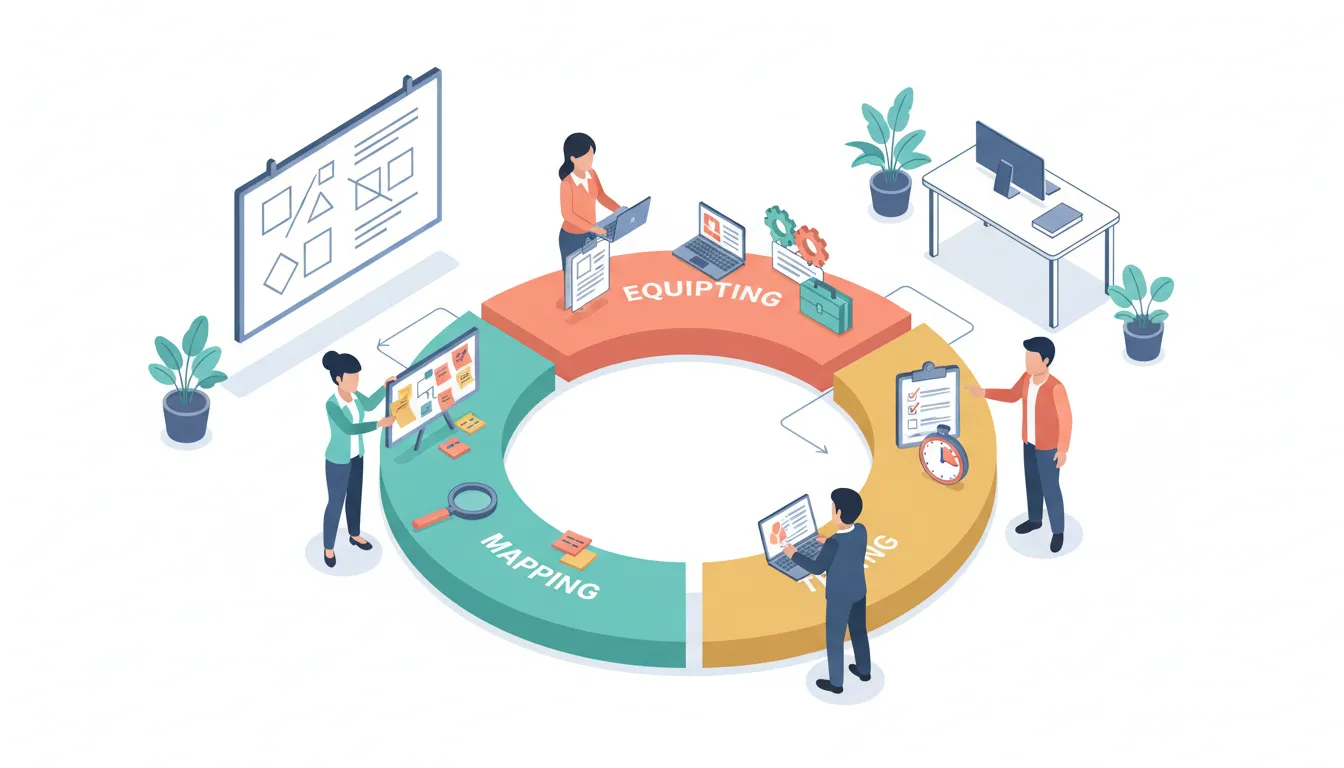
Systems and standard operating procedures do not have to be intimidating. For small businesses and small nonprofits, well-designed processes save time, prevent mistakes, and make growth possible without burning out the people who keep things running.
The approach is simple and repeatable: Map the workflow so you can see the end-to-end flow, Equip the workflow with templates, technology, and team members, and Try the workflow, document what works, then iterate. This three-step loop turns chaotic, ad-hoc work into predictable, delegatable systems.

Step 1 — Map the Workflow
Before you write a single SOP or buy any software, draw the process. Mapping is the act of stepping out of the weeds and visually tracing how work moves from start to finish. That shift in perspective reveals connections, bottlenecks, and responsibilities that scattered to-do items never show.
Keep the first map high level. Your goal is to create a readable picture of how tasks flow, not a minute-by-minute instruction manual. Spend about 20 minutes on a first pass. Use sticky notes or a single sheet of paper and a pencil. Erase, rearrange, and iterate until the main sequence feels right.

What to include on your map
- Trigger — What starts the workflow? (Example: a new client signs, a donation is received, a video is published.)
- Major steps — The big phases (onboarding, production, review, publish, follow-up).
- Decisions and branches — Points where the flow forks (e.g., major vs minor donors, urgent vs routine requests).
- Owners — Who is accountable for each phase or decision.
- Outputs — What each step hands off to the next (files, emails, calendar events, confirmation receipts).
A simple flowchart is enough: boxes for steps, arrows for flow, diamonds for decisions. If you prefer digital tools, use a free plan of Whimsical, Lucidchart, Miro, or Google Drawings. If your process will be used by many people, consider swimlanes to show who owns which steps.
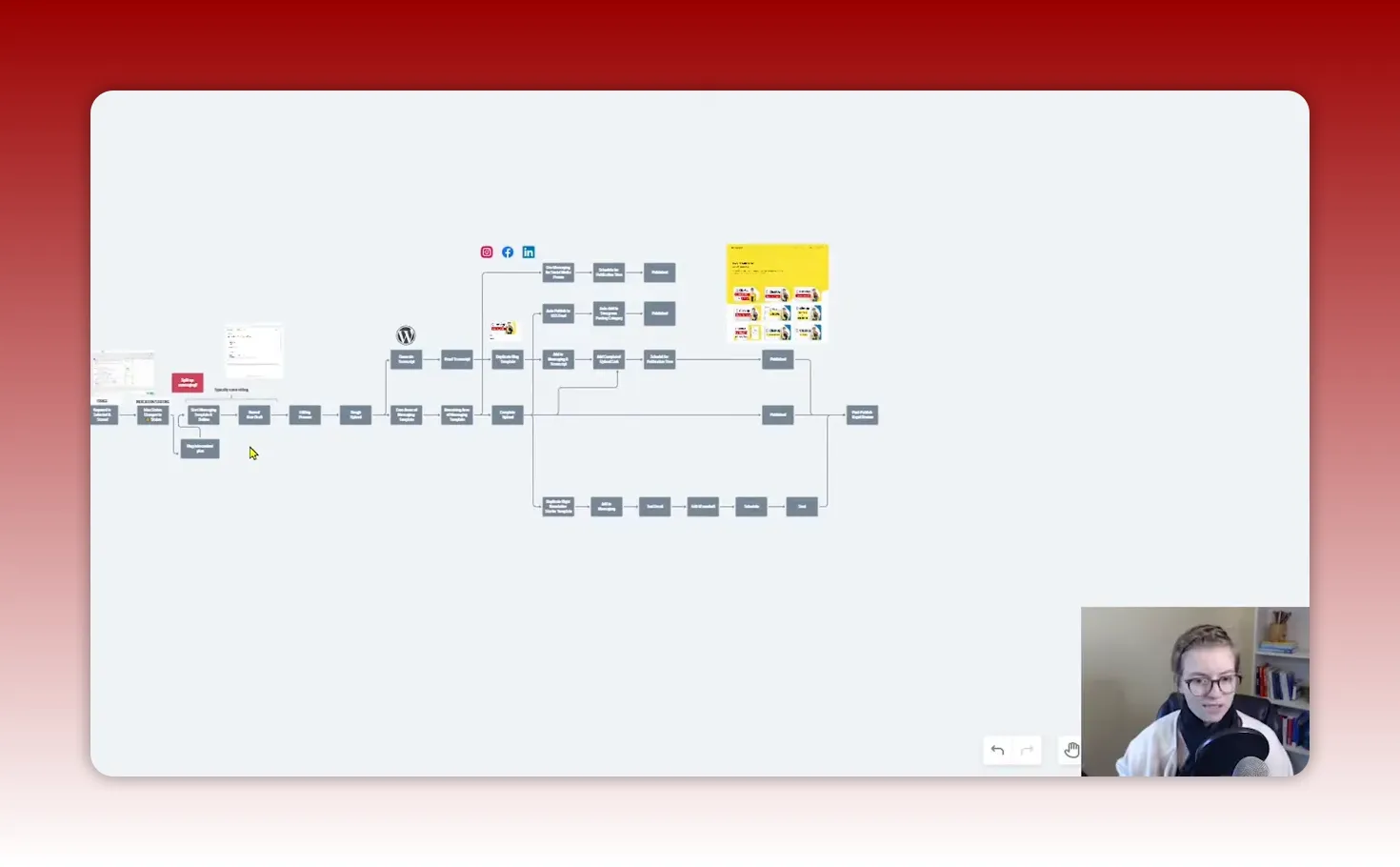
Examples of quick mapping exercises
- Client onboarding: contract signed → welcome email → intake form → kickoff meeting → deliverables schedule.
- Donation receipt process for nonprofits: donation received → acknowledgement email → tax receipt produced → data entered into CRM → stewardship task scheduled.
- Content repurposing: idea captured → script recorded → edit video → export assets → publish to network → create social posts and newsletter.
Mapping helps you see the bigger system—how editing affects publishing timelines, how social posts rely on final assets, or how donor communications depend on CRM data accuracy. Once the map exists, the rest of the work becomes clearer.
Step 2 — Equip the Workflow: Templates, Technology, Team
With your map as a guide, equip the workflow so each step becomes fast, repeatable, and reliable. Equipment comes in three parts: templates, technology, and team. Start with the easiest wins and work up.
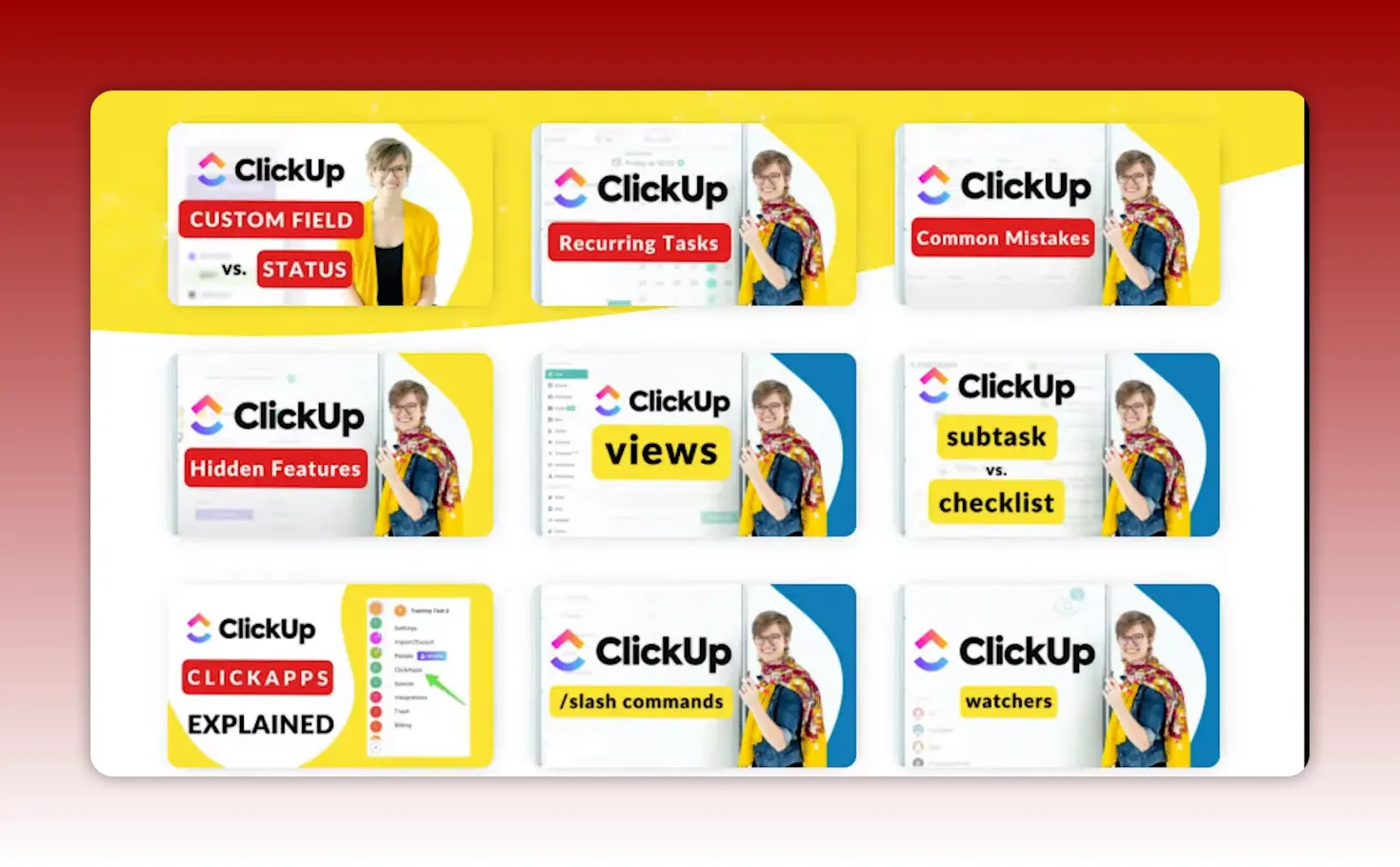
Templates — the biggest time-saver
Templates turn decisions into predictable actions. Create reusable documents for any repeatable output or recurring decision. Templates are typically low-cost to build and high value when used consistently.
Template ideas for small businesses
- Email templates: welcome email, follow-up, proposal deliverable email.
- Client intake form template: name, contact, objectives, expected timeline, budget.
- Project checklist: deliverables, milestones, file naming conventions.
- Invoice and billing templates: line item descriptions, payment terms, reminders.
Template ideas for small nonprofits
- Donation acknowledgement template: donor name, donation amount, tax receipt language, campaign attribution.
- Volunteer shift checklist: arrival instructions, safety notes, task list, sign-off fields.
- Event run-of-show template: set-up, volunteer assignments, contingency steps, clean-up.
- Grant narrative snippets: organizational description, program logic model, budget summary blocks that can be copied and edited.
Example: messaging template for content
- Title or topic
- Primary keyword or campaign
- Audience and CTA
- Tags / categories / playlists
- Social post copy snippets (short, medium, long)
- Assets required and deadlines
Store templates in a central place so anyone can copy, modify, and use them. For small teams, a shared Google Drive, a ClickUp template library, or a Notion page works well.

Technology — make the tools work for you
Technology should reduce manual labor, not create more meetings. Use tools that fit how your organization already works and that integrate with the people who will use them.
Where technology helps most
- Automating handoffs: move tasks between stages automatically when a file is uploaded or a status changes.
- Populating templates: pre-fill task checklists or documents with template content.
- Centralizing instructions: attach SOPs and checklists directly to the task that needs to be completed.
- Tracking progress: dashboards that show where processes are slowing down.
Tool suggestions
- Project and task management: ClickUp, Asana, Trello. ClickUp is especially useful if you want a document-based SOP system linked to tasks.
- Process mapping and whiteboard: Whimsical, Miro, Lucidchart.
- CRM and donor management for nonprofits: CiviCRM, Bloomerang, DonorPerfect, Little Green Light.
- Client intake and proposals: Dubsado, Honeybook.
- Databases and flexible automation: Airtable, Google Sheets with scripts.
Small organizations often don’t need enterprise software. Start with a single tool to hold tasks and attach documentation. For example, create a ClickUp task for each piece of work, attach the template and the SOP, and use status changes to automate reminders and next steps.

Team — humans do what machines can’t
After templates and technology are in place, assign the remaining work to people. Team members handle judgment, relationships, and edge cases—areas where templating and automation fall short.
How to decide who does what
- List each step from your map.
- Ask: Can a template or tool do this reliably? If yes, automate or template it.
- If not, decide whether a contractor, volunteer, or staff member is the best owner.
- Assign clear owners and define expected outcomes and deadlines.
Delegate with clarity. Handing off ownership means giving access to the templates and tools, attaching SOPs, and setting clear acceptance criteria. Avoid “robot work” where possible. Use humans for relationship-building, quality control, and decisions that require nuance.

Step 3 — Try, Document, and Improve
Designing a process is theory. Running it proves or disproves your assumptions. The try phase is where the real learning happens. Use this stage to document practical details and to capture the questions team members ask while doing the work.
Run a pilot
Pick a willing team member or a small cohort to run the process from start to finish. Timebox the pilot to a defined number of runs or a calendar period. During the pilot, collect:
- Questions and confusion points (these become SOP entries)
- Missing templates or assets
- Time estimates for each step
- Error rates or frequently missed items
Every question the team asks is an opportunity to improve documentation. When someone asks “how do I log into the social scheduler?” add that login instruction to the SOP or link directly to the scheduler credentials vault.
Document as you go
Documentation should be practical, not perfect. Start with the flowchart and then add a short set of instructions for each box in the chart. Attach checklists to tasks so the person completing the work can tick off what’s done and what to watch for.
Documentation tips
- Write steps in the order they will be performed.
- Include “why” briefly when it helps make a better decision.
- Use screenshots and examples for tricky tools.
- Keep documentation searchable and linked to the work itself.
For organizations using ClickUp or a similar tool, create a central document library and link specific SOPs to the tasks that trigger a process. This reduces the cognitive load of finding instructions when work needs to be done.

Iterate with a feedback loop
Once you run the process a few times, revisit the map. Remove unnecessary steps, consolidate duplicated tasks, and update templates. This continuous loop—map, equip, try, repeat—is the essence of process improvement.
Common iterations
- Delete a redundant approval step that adds no value.
- Combine two checklists into a single checklist used by one role.
- Replace a manual data entry with an automated import from your donor system.
Practical Example: Content Repurposing Workflow
Content repurposing is a great example because it touches multiple teams and tools. Here is a condensed version of a real workflow used to turn one long-form asset into an ongoing content stream.
- Idea captured and vetted (owner: content lead)
- Recording scheduled and recorded (owner: producer)
- Editor receives raw footage with an editing checklist (owner: editor)
- Exported assets shared to a central folder (owner: editor)
- Publish task created in project management tool with attached templates: publish template, social copy template, newsletter template (owner: publisher)
- Social posts scheduled in the social scheduler with clear instructions for platform image sizes and tagging (owner: social manager)
- Newsletter written using newsletter template and sent (owner: comms lead)
- Metrics tracked and summarized for feedback (owner: analytics)
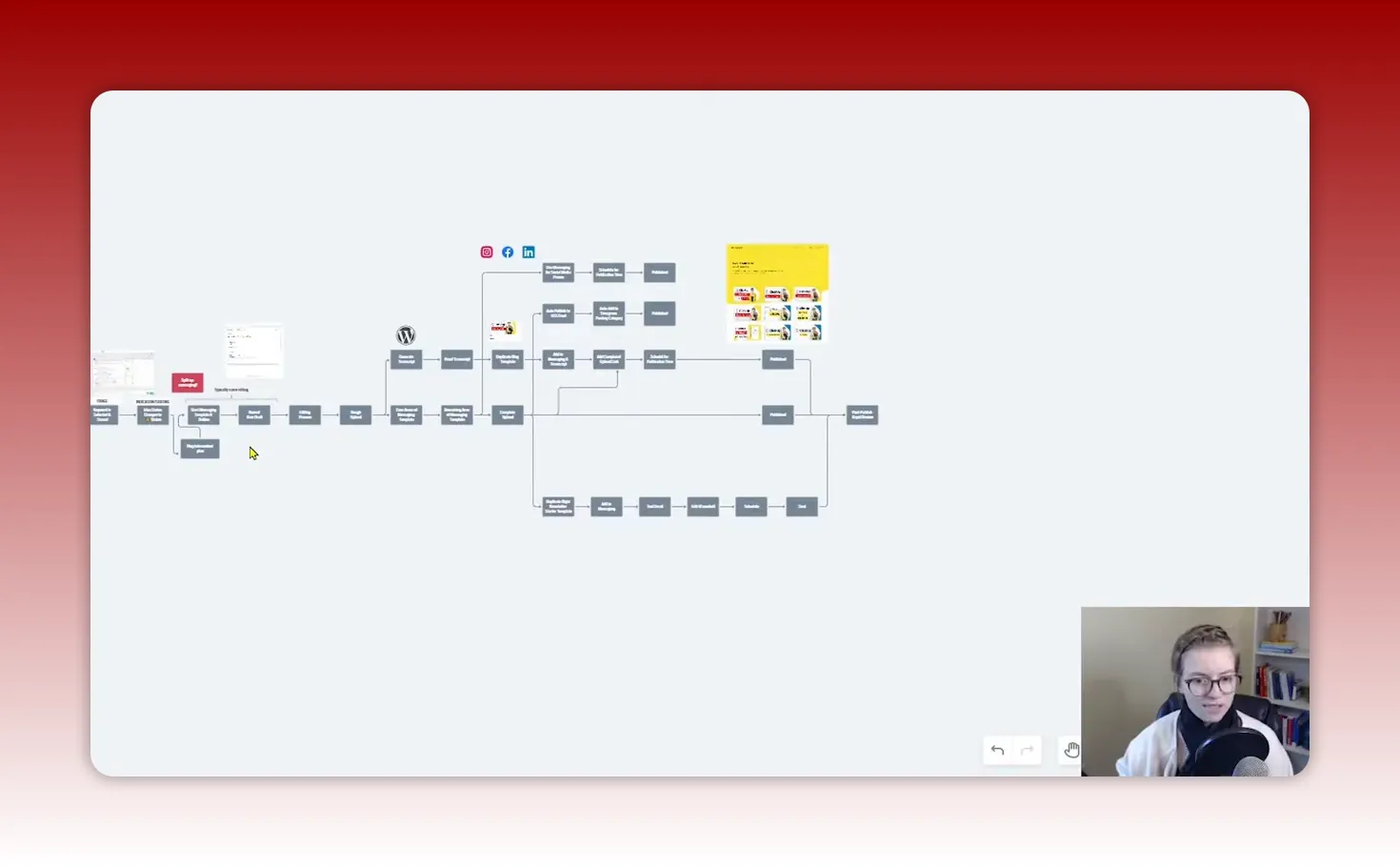
Key artifacts that make this workflow run smoothly
- Editing checklist: resolution, captions, audio levels, intro/outro placement.
- Publish template: title formula, metadata, primary keyword, tags, playlists.
- Social copy snippets: short, medium, and long variants for different platforms.
- Newsletter template: subject line options, opening summary, CTA, image credits.
None of this needs to be perfect at rollout. Build the checklist and templates as you go. If a team member asks a question, answer it and add that answer to the SOP immediately. Over time the process becomes robust.
Workflows Worth Systemizing First
Small organizations should prioritize the processes that are frequent, high-impact, or risky. Here are workflows that often deliver the biggest returns when systemized.
- Client or participant onboarding — First impressions matter. A smooth onboarding reduces churn and improves outcomes.
- Donation processing and acknowledgement — Accurate acknowledgements and timely receipts keep donors happy and compliant.
- Event planning and run-of-show — Reduces day-of chaos and volunteer confusion.
- Volunteer coordination — Makes recruitment and retention easier with clear expectations.
- Content production and publication — Ensures consistent messaging and reduces last-minute scrambles.
- Grant application and reporting — Reuseable narrative blocks and templates speed up proposals.
- Monthly financial close — Standard checklists reduce errors and improve transparency.
- Program delivery workflows — Consistent quality across cohorts and locations.
Avoid These Common Pitfalls
Systemizing work is powerful but easy to fail at if you fall into a few common traps.
Over-detailing before testing
Writing an exhaustive SOP before the process has been tried often wastes time. Start lean: map, create the critical templates, run a pilot, then document specifics that actually matter.
Paralysis by perfection
If systems are only created when everything is perfect, nothing will ever be systemized. Ship a usable version, then iterate rapidly.
Not involving the people who do the work
Processes designed in isolation do not survive the real world. Involve the team early, ask questions, and make it easy for people to contribute improvements.
Storing SOPs where no one can find them
Documentation hidden in email threads or siloed folders is effectively nonexistent. Attach SOPs to the work itself—link the checklist to the task or the project—so users encounter instructions when they need them.
Checklist: What to Build First
- High-level process map for one workflow (20-minute exercise)
- One template that supports the workflow (email, checklist, or document)
- One task in your task manager with the template attached
- A short pilot run with a named owner and date
- A simple document that answers the top 3 questions the pilot raises
- A recurring review date to iterate after 3 to 5 runs

Tools and Resources to Consider
- Mapping: Whimsical, Miro, Lucidchart, Google Drawings
- Task and docs: ClickUp, Asana, Trello, Notion
- Client intake and automation: Dubsado, Honeybook
- CRM and donor management: Bloomerang, Little Green Light, DonorPerfect
- Database and automation: Airtable, Zapier, Make (Integromat)
Frequently Asked Questions
How long should mapping a single small workflow take?
A first pass should take about 20 to 30 minutes. The goal is to get the major steps and decision points down. You will refine and add detail during pilots and as team questions surface.
What if I can't afford new software?
Start with free or low-cost tools. A shared Google Drive and Google Docs plus simple Google Sheets can hold maps, templates, and checklists. Use free plans of mapping tools and upgrade only when the benefit outweighs the cost.
How much documentation is enough?
Enough that someone with basic context can complete the work without needing constant hand-holding. Focus documentation on the tricky steps, decision rules, login links, and acceptance criteria rather than micro-managing routine tasks.
How do I get team buy-in for new processes?
Involve people early, ask for their input during mapping, run small pilots, and show quick wins. Recognize contributors and make it easy for team members to suggest improvements. When people see that processes reduce repetitive work, buy-in grows organically.
How often should processes be reviewed?
Set a cadence: quarterly reviews are a good baseline for small organizations. High-volume processes may need monthly tweaks early on. Use metrics and team feedback to guide review frequency.
Which processes should I systemize first?
Prioritize frequent, high-impact, or compliance-related workflows. Onboarding, donation processing, event run-of-show, and content publication are commonly high-return candidates for small organizations.
Can volunteers help create SOPs?
Yes. Volunteers who regularly perform tasks are excellent sources of practical knowledge. Pair them with a staff member to capture steps and validate the documentation.
Where should I store my SOPs so people use them?
Store SOPs where work lives. Attach them to the project or task in your task management tool so people find instructions when the work is assigned. Keep a central index for discoverability, but always link the specific SOP to the task that triggers it.
Final Thoughts
Creating systems is not an all-or-nothing project. Start small, map one workflow in 20 minutes, create a single template, run a pilot, and let team questions guide your documentation. Over time the map will clean up, templates will multiply, and the team will learn how to run reliably without constant intervention.
Systemization is not about removing people from the process. It is about reducing repetitive, low-value work so humans can focus on the decisions and relationships that matter. Enjoy the process of improving your operations. Each small improvement compounds into capacity, clarity, and calm.

This article was created based on the video How to Build Systems in Business for Any Workflow in 3 Steps.


